01
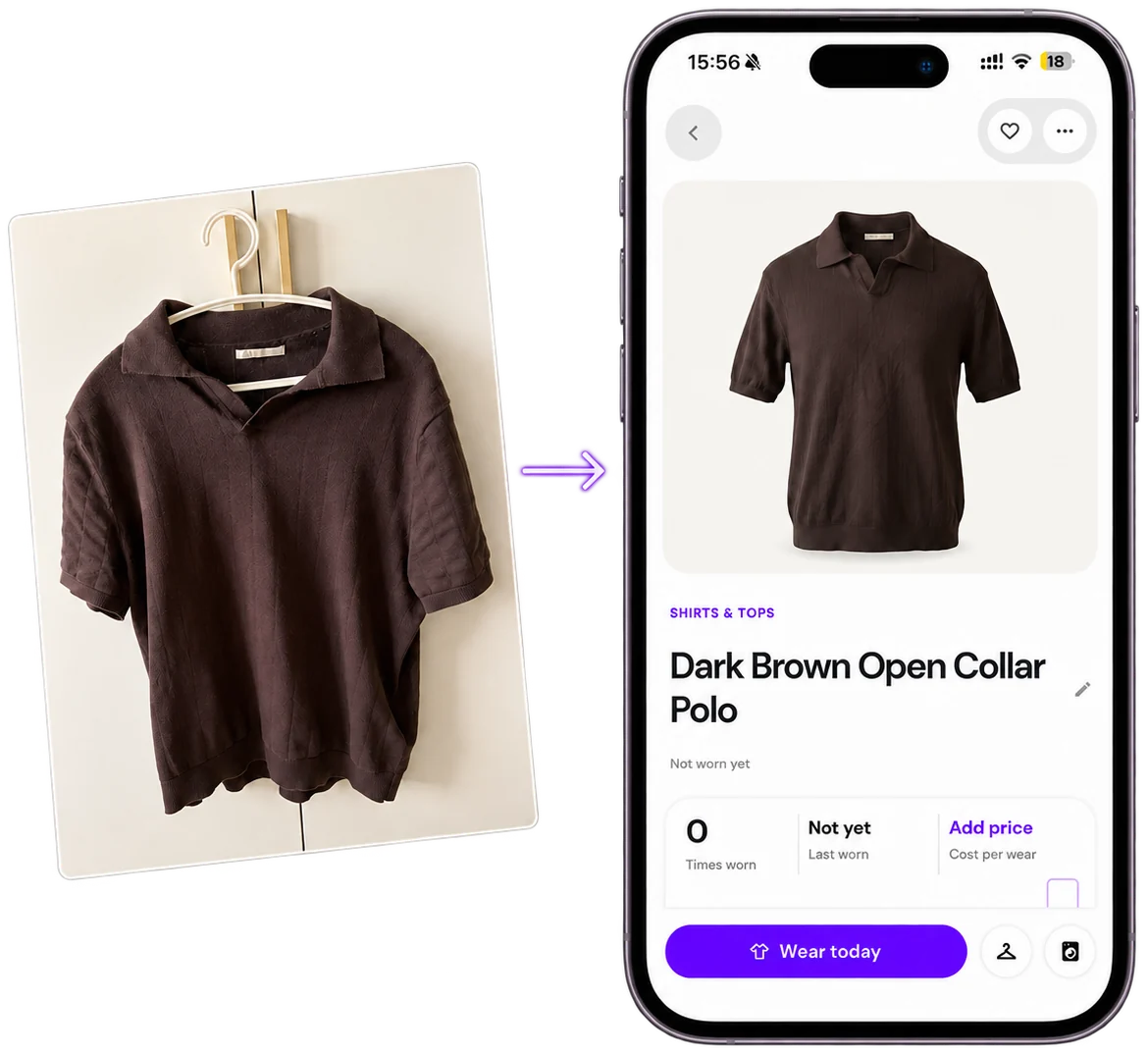
Add clothes
Photograph a piece from your closet. Stilny reads it in seconds — category, colour, brand.
Limited iPhone beta
Stilny photographs your wardrobe, learns every piece, and puts together what to wear - from clothes already hanging in your closet.
Opens TestFlight · iOS 17+ · free during the beta · start with 4 pieces
Questions? Join the Discord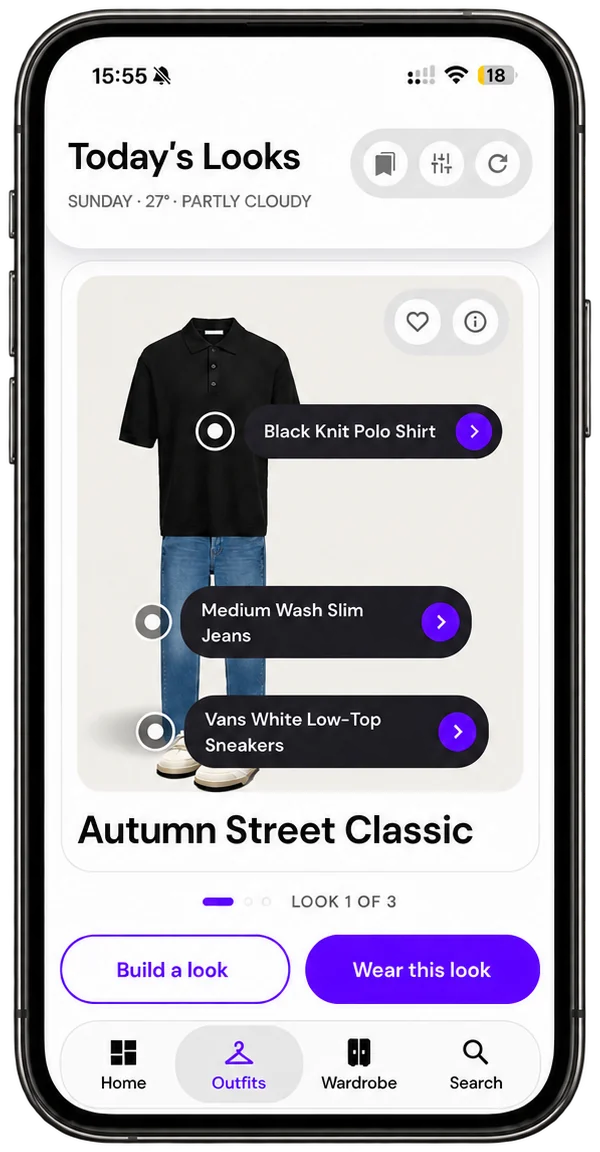
How it works
01
Photograph a piece from your closet. Stilny reads it in seconds — category, colour, brand.
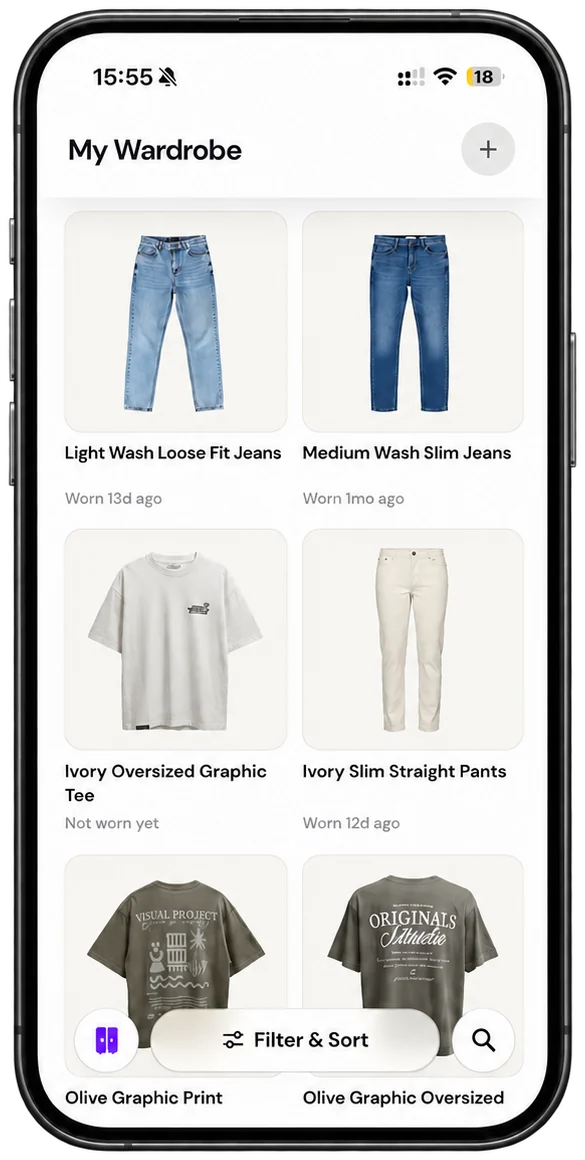
02
Every piece lands in one wardrobe you can actually browse, search and filter.
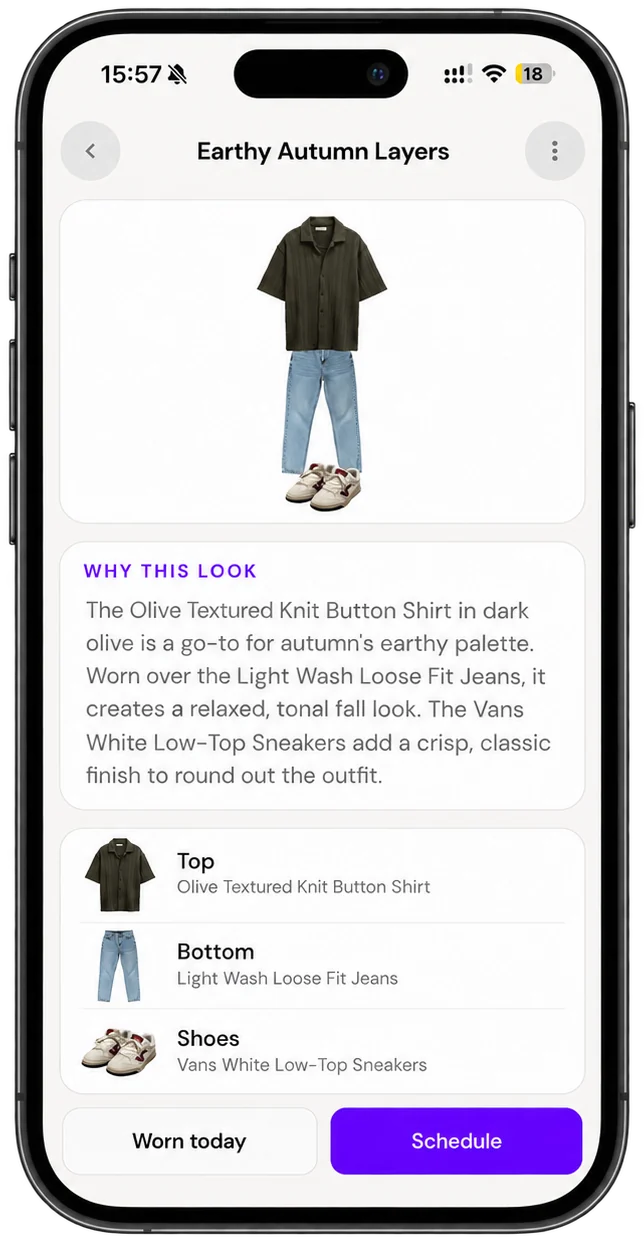
03
Ask for an outfit and Stilny builds one from clothes you already own — nothing you would need to buy.
Getting dressed should not mean re-learning your own wardrobe at seven in the morning.
Why it helps
Stilny builds outfits only from clothes you already own.
You do not need more clothes. You need to see the ones you own.
What to expect
Still learning
The app is learning about as fast as you are. When something feels off, saying so is what makes the next build better.
Be blunt
Both kinds of surprise - the outfit you would never have put together, and the one that missed completely. Telling us which was which is how it learns what you actually wear.
Ten pieces
Stilny gets sharper the more of your closet it can see. Below about ten items there is not enough to build an outfit from, and it will look emptier than it really is.
Before you ask
iOS 17 or later. If your iPhone cannot update past iOS 16, it cannot run the beta yet.
Tap the TestFlight button on this page. If you do not already have Apple’s TestFlight app, it will offer to install that first — then open the link again and tap Install. TestFlight handles every update after that on its own.
The beta runs for a few weeks. Nothing about your wardrobe disappears when it finishes, and you will hear from us before anything changes rather than after.
It is free for the whole beta. Pricing after that is not decided, and no tester will be charged for anything without choosing to be first.
Yes — pass on the TestFlight link from this page. Apple puts its own cap on how many testers a single build can hold; if it is ever full, TestFlight will say so, and leaving an address here gets them the next one.
It is a beta, and it will miss sometimes - an outfit that is off, a screen that is not polished yet. If you hit one, report it: shake your phone to send a report from inside the app, or drop a note in the Discord.
No. Photographs are uploaded and kept on Stilny’s servers, and the app works from small versions of them, so a large wardrobe does not turn into a large app.
They are used to run your wardrobe - read for category, colour and brand, and used to build looks. They are not sold and never used for advertising. The privacy policy sets out who processes them. Read it here.
Limited iPhone beta
Installing takes about a minute and the beta is free. Apple caps how many testers a TestFlight build can hold — if this one is ever full, leave your address below and you'll get the next one.
or keep a place in reserve
Only if the beta fills up. Nothing else, ever.